
Over the past few months I've thrown real work at pretty much every AI coding tool on the market: Cursor, Claude, Manus, Antigravity, Codex, Bolt, Vercel v0, and more. Not benchmarks, but actual project work on Qwabi Engineering builds. Here's what I found.
Cursor: the daily driver
Cursor is my workhorse. The multi-agent composer lets you spin up to 8 sub-agents scoped to avoid file conflicts, which means you can prompt a full site redesign in a single pass without agents stepping on each other's toes.
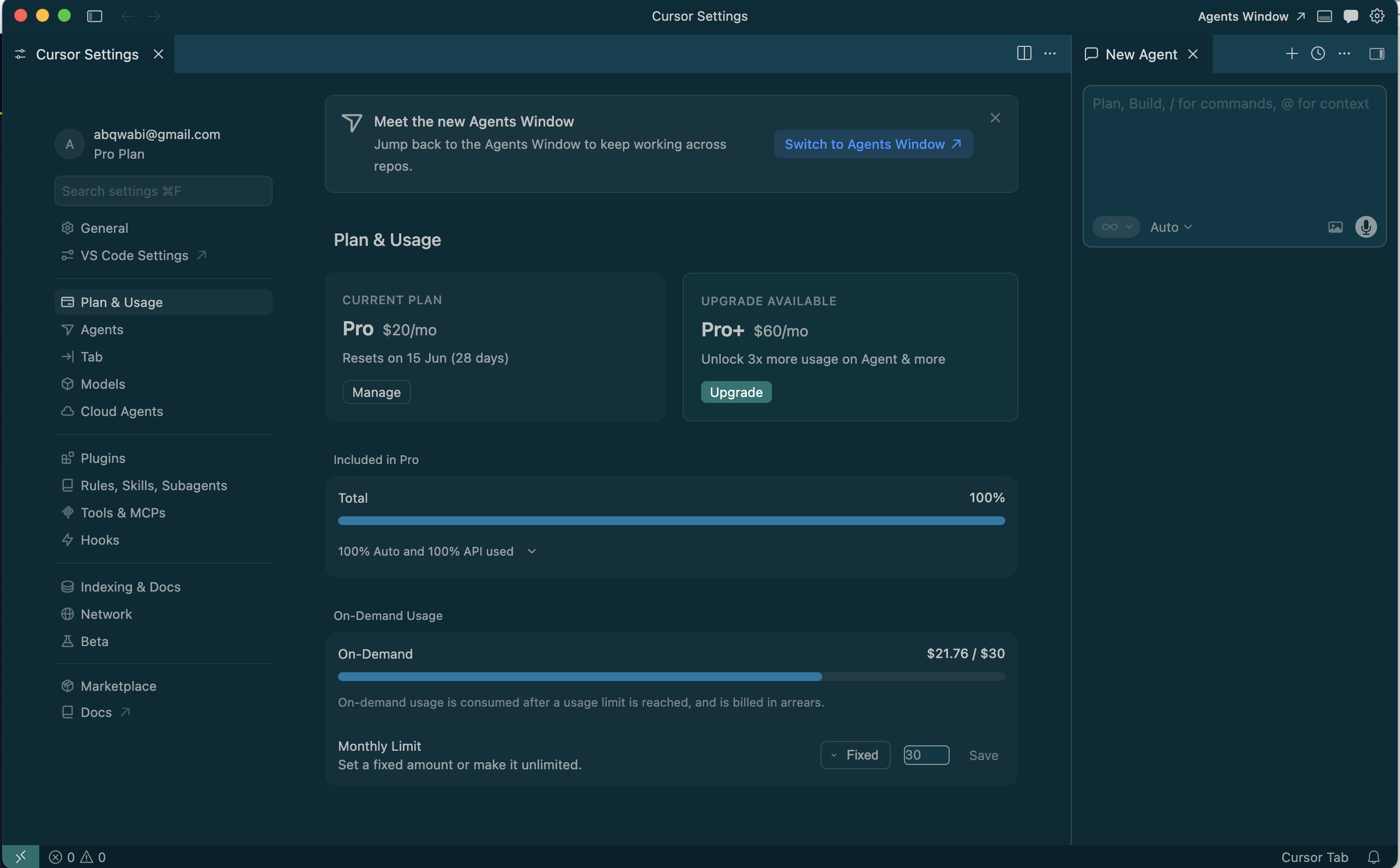
Auto mode picks the right model per task, lighter ones for grunt work, heavier reasoners like GPT-5.5 or Codex 5.3 for complex architecture. Heads up though: those heavyweight models eat tokens in the millions even for simple prompts. Don't select them manually unless you enjoy watching credits disappear. The planning agent is great, showing you how the AI thinks before it acts.
The pricing reality is worth knowing: the $20/month premium subscription lasts me about two days of real-world usage. After that there's an on-demand tier, I cap it at $20 (around R350) but it can be gone in roughly 6 hours of intensive use. It's expensive, but nothing else matches the speed. On my very first month in April 2026 I somehow burned through what felt like billions of tokens on a single subscription (not sure if there was a glitch on their end, but it was wild).
Claude: the thinker in the room
Claude doesn't just answer, it reasons. I tested this by asking Grok and Claude the same research task: synthesize landing page best practices from 10+ sources into a usable design brief. Grok gave me a bloated doc full of contradictions. Claude flagged that the gathered information conflicted and reframed the problem before producing something I could actually work with.
Claude is the AI I use to sense-check everything else. It thinks more like a human, noticing when something doesn't make sense and saying so rather than confidently producing nonsense. The free tier gives you maybe 15–20 minutes of use every 5–6 hours before it kicks you out, which is tight for deep work. But it's also the most equipped: plugins, connectors, and custom MCP skills make it the most extensible of the lot. I think of it as the AI that keeps other AIs honest.
Codex: the genius behind a paywall
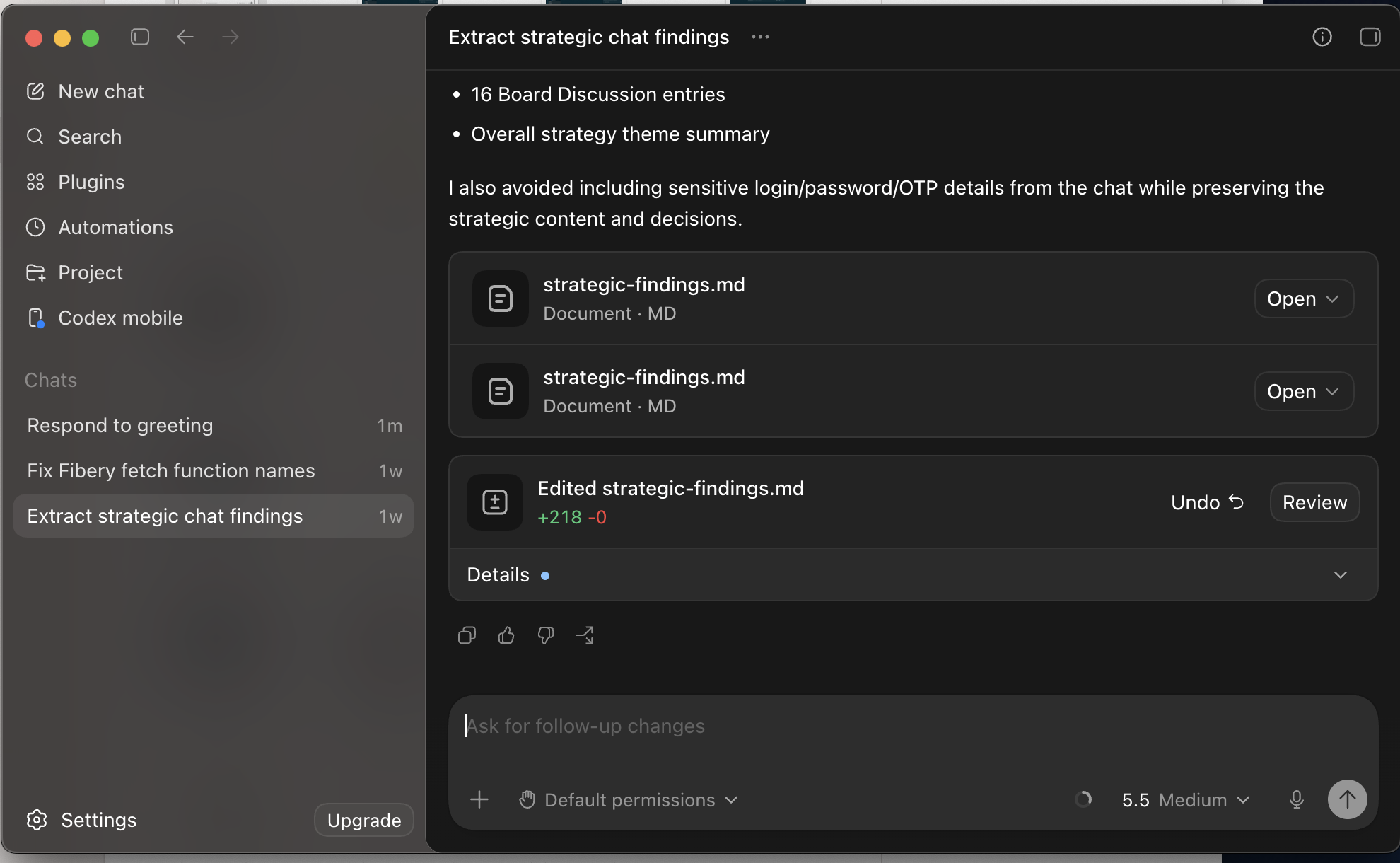
I've used OpenAI Codex exactly twice on the free tier (different accounts, let's move on). Both times it floored me. The reasoning was on another level, featuring an intelligence dial from low to extra-high on GPT-5.5, which I haven't seen on any other tool. Even set to medium it was sharper than most tools at their maximum.
The catch: you need a pro account, or you wait roughly 17 days for a free-tier refill. That friction is brutal. If it were more accessible this would be my default. For now it stays in the "impressive but impractical" category unless you're on a paid plan.
The rest of the field
Manus
Manus can launch a real browser and interact with pages, which is a genuine superpower for research and automation tasks. It gives you 8,000 credits on the trial, but the UI claimed I had used 0 of 8,000 while I was clearly burning through them (700 one day, 400 the next). Confusing. My read: Manus is excellent as a research agent, not for coding.
Antigravity
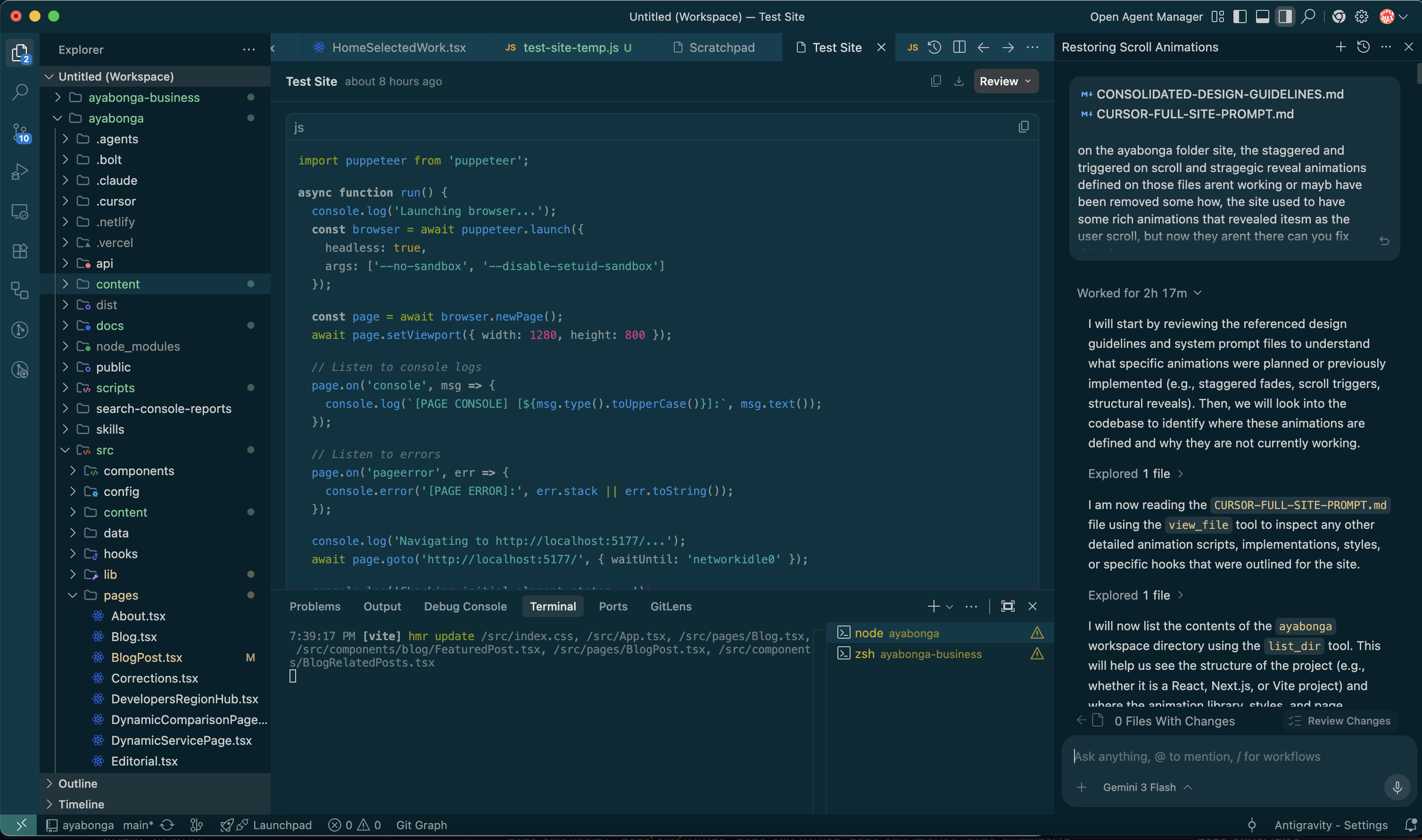
Antigravity can puppeteer a Chromium browser and act as you, which is interesting. But it moves slowly and has a narrow model library, leaning heavily on Gemini. To fix some animations that should have taken 5 minutes in Cursor it spent 2 hours 17 minutes trying to understand the context, which included opening a browser to research why the animations weren't working. Impressive effort, wrong direction. I'm on Google AI Pro so when I run out of credits I fall back to Gemini Flash while I wait for the 5-day refill.
Bolt.new & Vercel v0
Bolt gives you around 1 million tokens per month on free, which I can burn in it will be gone in 30 minutes or in 5 or 6 iterations. Vercel v0 gives you 5 credits per month: that's one single-page site with one prompt and one follow-up edit, if you gave it good context. Both are impressive demos but punishing to actually rely on.
So what does this all mean?
We're in a weird moment where the best tools are the most expensive, and the free tiers are designed to frustrate you into subscribing. For anyone building on a budget in South Africa, where these dollar costs translate to serious rand spend, you have to be strategic about which tools you invest in.
My stack right now: Cursor for building, Claude for thinking and sense-checking, Codex when I need to throw a hard problem at something genuinely smart. Everything else is situational.
I build systems for South African businesses at Qwabi Engineering. If you're curious how I apply these tools to real client work, from SMME digitisation to AI-powered ops, reach out or follow along here.